
My Kitchen: 3D Planner
Ovchinnikov AndreyHouse & Home
4.4170.00 Reviews
- Version
- 1.35.0
- Installs
- 1.00M
- Age Rating
- Everyone
Screenshots
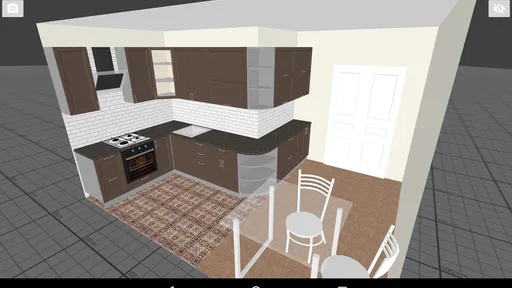
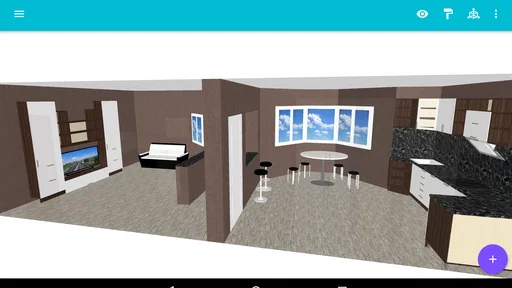
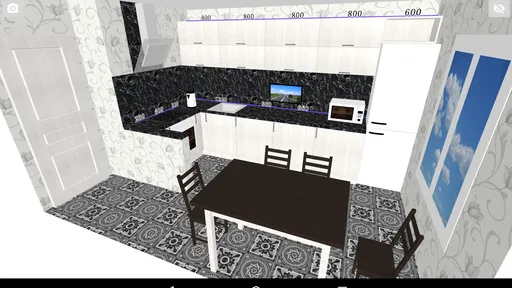
Our Review of My Kitchen: 3D Planner
 Analysis by Appyee
Ever found yourself dreaming about the perfect kitchen layout but struggled to visualize it? That's where My Kitchen: 3D Planner comes into play. I’ve been tinkering with this app for a while now, and let me tell you, it’s like having a magic wand for your culinary space. So, let's dive into what makes this app a must-have for kitchen enthusiasts.
Getting Started with Your Dream Kitchen
The first thing you'll notice about My Kitchen: 3D Planner is its user-friendly interface. Even if tech isn't your thing, you'll find it pretty straightforward. Just download the app, and you’re greeted with a simple tutorial that walks you through the basics. It's like the app is holding your hand, guiding you as you start crafting your dream kitchen.
Once you're in, you can start creating a layout from scratch or choose a template. I appreciate the variety of templates because sometimes, you just need a little inspiration to kickstart your creativity. Whether you're into modern, rustic, or minimalist styles, there's something here for everyone.
The 3D Experience
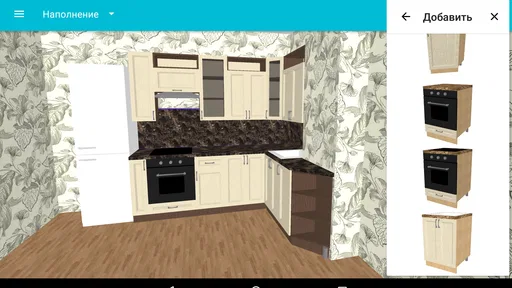
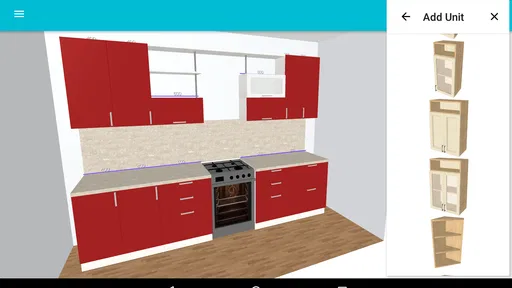
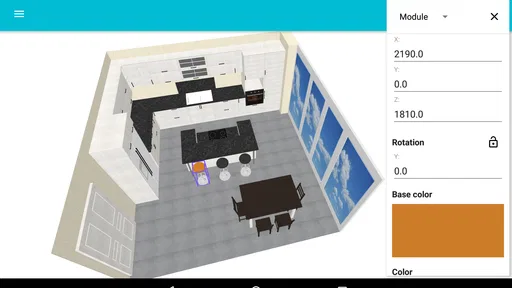
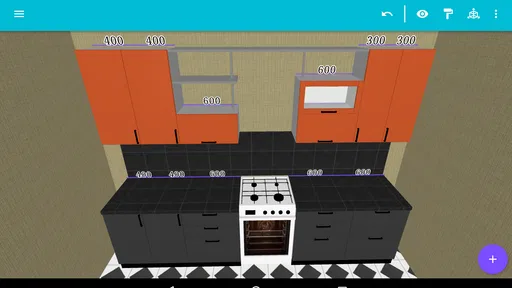
Now, here’s where the magic happens - the 3D feature. You can zoom, rotate, and even "walk" through your kitchen design. It's almost as if you’re physically there, checking out how that new island will look or if those cabinets match the backsplash. I found myself spending hours just playing around with different combinations. The realism is seriously impressive, down to the shadows and lighting effects.
If you’re someone who likes to get every detail right, this feature will be your new best friend. You can adjust not just the layout but also the materials, colors, and textures. Want those marble countertops or a wooden floor? Just a few taps, and it’s done.
Features That Stand Out
One stand-out feature is the ability to integrate real products into your design. The app partners with various retailers, allowing you to add actual products to your virtual kitchen. This is super handy when you're ready to make those dream designs a reality. With a little planning, you can seamlessly transition from designing to shopping.
Another neat feature is the budget tracker. It’s easy to get carried away with your ideal kitchen, but this tool helps keep your feet on the ground. You can set a budget and the app tracks your expenses as you add items. It’s a lifesaver for anyone trying to stick to a financial plan.
Why You'll Love It
The thing about My Kitchen: 3D Planner is that it’s not just for professionals. Whether you’re a homeowner looking to revamp your space or just someone who loves playing around with interior design, this app is a joy to use. It’s intuitive, engaging, and offers a level of detail that’s hard to beat.
Plus, the community feature is a gem. You can share your designs and get feedback from others. It’s like having a whole team of designers offering tips and encouragement. Trust me, you’ll find yourself scrolling through other people's designs for hours, picking up ideas and inspiration along the way.
Final Thoughts
To wrap it up, My Kitchen: 3D Planner is a fantastic tool for anyone looking to redesign their kitchen. It combines ease of use with powerful features that cater to both amateurs and pros. So, why wait? Give it a try and start building the kitchen you’ve always dreamed of. Whether you're redesigning or just dreaming, this app is a fun and practical way to bring your visions to life.
Verdict
Strengths of My Kitchen: 3D Planner
- Intuitive drag-and-drop interface.
- Realistic 3D visualizations.
- Wide range of design templates.
- Customizable color schemes.
- Offline mode available.
Limitations of My Kitchen: 3D Planner
- Limited free version features.
- Occasional app crashes.
- Requires large storage space.
- No direct export to CAD files.
- In-app purchases can be pricey.
Similar Picks in This Category
View All
Universal TV Remote Control
CodeMatics Media Solutions3.9

AlfredCamera Home Security app
Alfred Systems Inc.4.7

Planner 5D: AI Home Design
Planner 5D4.5

Universal Tv Remote-Cast to TV
One Music Player4.1

Zillow: Homes for Sale & Rent
Zillow Group4.8

99acres Buy/Rent/Sell Property
infoedge.com4.3
Frequently Asked Questions
What is My Kitchen: 3D Planner and what does it offer?
My Kitchen: 3D Planner is a comprehensive app designed for users who want to visualize and design their kitchen spaces in a 3D environment. It offers a range of tools to help you create detailed layouts, choose from various styles and materials, and experiment with different design elements, all from your mobile device.
Is My Kitchen: 3D Planner suitable for beginners?
Yes, My Kitchen: 3D Planner is user-friendly and suitable for beginners. It provides intuitive controls and tutorials to guide users through the design process. Whether you’re new to home design or have experience, the app offers features that cater to all skill levels, making it easy to create your dream kitchen.
Does My Kitchen: 3D Planner allow customization of kitchen elements?
Absolutely, the app offers extensive customization options. You can select from a variety of cabinet styles, countertops, appliances, and color schemes. Additionally, the app allows you to adjust dimensions and layout to fit your specific space, ensuring your design is both functional and personalized to your taste.
Is My Kitchen: 3D Planner free to use, or are there in-app purchases?
My Kitchen: 3D Planner is available for free download, providing a range of basic features at no cost. However, it also offers in-app purchases for advanced tools and premium design elements. These purchases can enhance your experience by unlocking additional customization options and design templates.
Can I save and share my designs in My Kitchen: 3D Planner?
Yes, you can easily save your kitchen designs within the app for future reference or further editing. Additionally, My Kitchen: 3D Planner allows you to share your designs with friends, family, or professionals via email or social media, making collaboration and feedback seamless.
